
Multi-Language Surveys — One survey with many translations, unified results, filter by language
OpinionX now supports Multi-Language Surveys.
Create many versions of your OpinionX survey in different languages that all feed into one unified results set for easier combined analysis. This functionality makes OpinionX the ideal platform for international teams running conjoint, maxdiff, and segmentation research with a global customer base.

A new animated dropdown helps survey respondents find the right language before starting their OpinionX survey.
Previously, OpinionX researchers had to create separate surveys for each language, which is particularly complex for survey methods like maxdiff or conjoint analysis. Now, multi-language conjoint surveys are extremely easy on OpinionX!
Here are three cool details that we baked into OpinionX’s new multi-language functionality to make sure that this feature saves you as much time as possible…
1. AI Translations
When you add an additional language to your OpinionX survey, you can choose between three options: (i) Automated Translation, (ii) Duplicate Survey, (iii) Blank Version. The automated translation option uses AI to make an accurate translation of your entire survey in a matter of seconds.
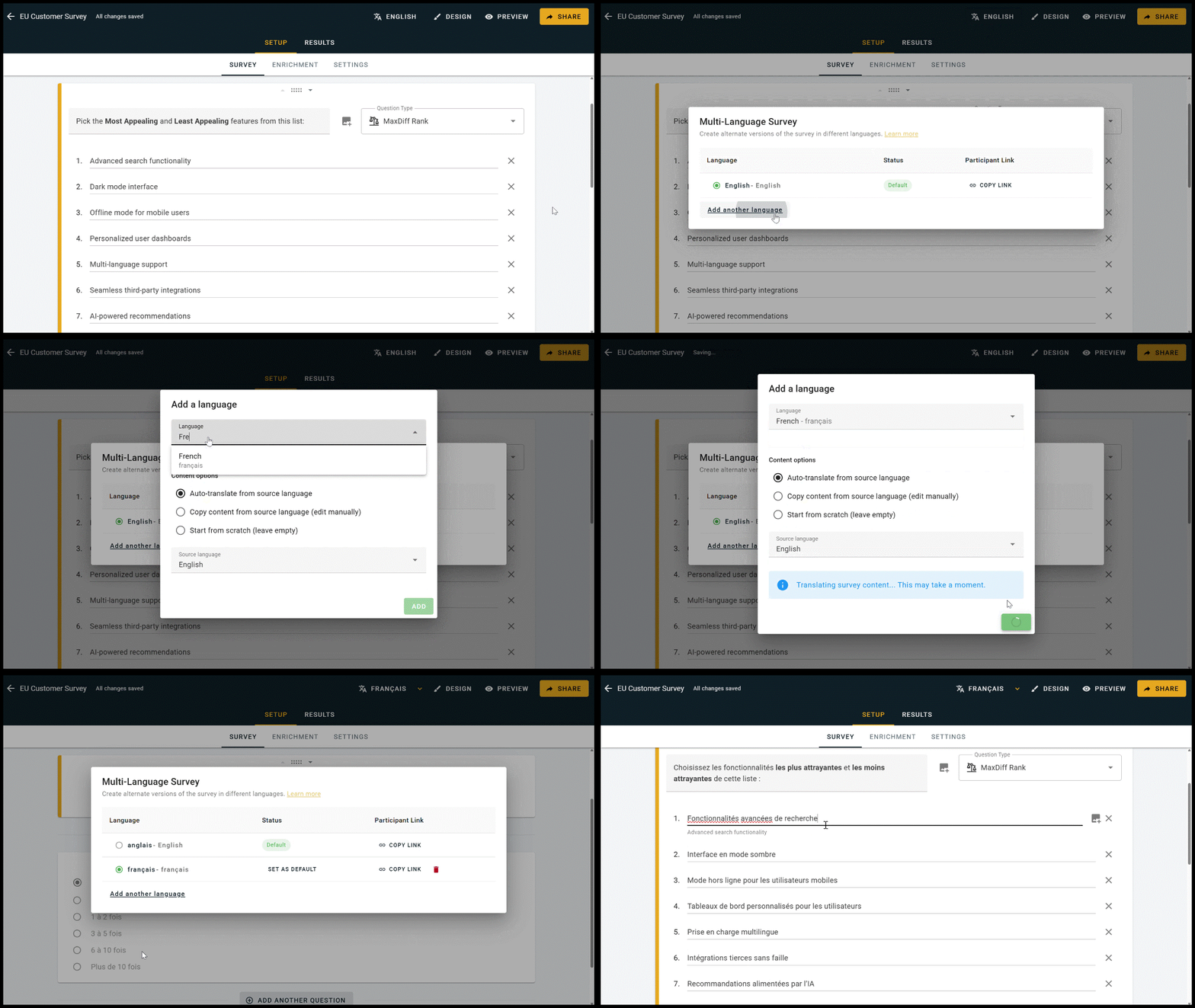
Multi-language survey setup on OpinionX, with AI-powered automated translation.
Clicking on any text field on the Survey Setup page reveals the parent text used as the basis for the translation, helping maximize your efficiency without needing to constantly switch between languages.

Clicking onto any field in Survey Setup reveals the translation source on the default version of your survey.
2. Participant Experience
Participants will see a dropdown on your survey’s Welcome Page that allows them to switch language. This animated dropdown shows the name of the current version (eg. ‘Language: English’) translated into each of the languages that the survey is available in (eg. ‘Idioma: inglés’) to help everyone find the right version for them.
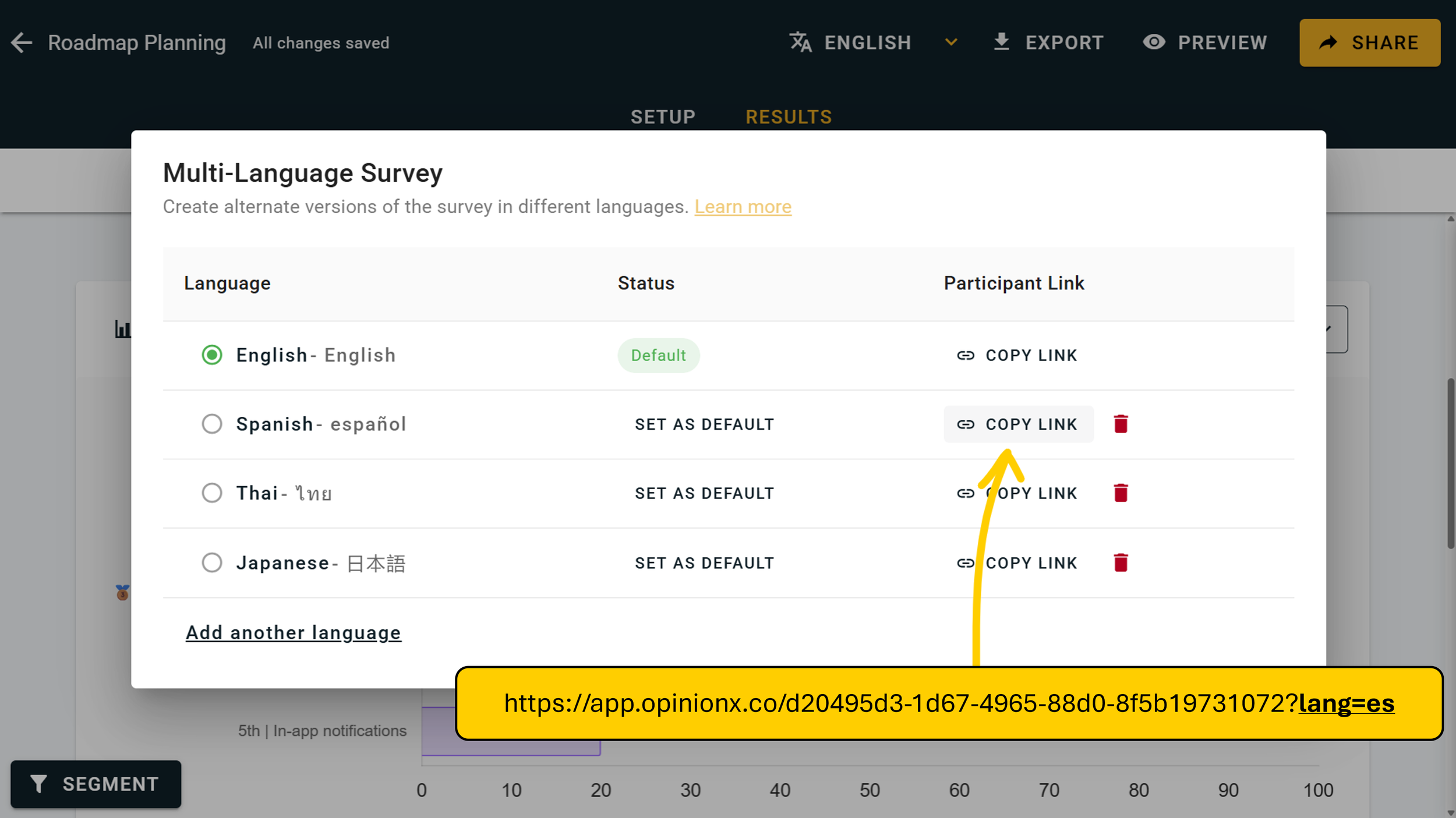
If you want to remove this choice, start by hiding the language dropdown by editing the Welcome Page on your Survey Setup tab. Then on the languages menu, you’ll see a ‘Copy Link’ option for each of your configured languages. These links add a URL parameter to the end of your participant link specifying which language the survey should load in (eg. ?lang=es for Spanish).
3. Filter & Segment by Language
One of the first questions researchers will ask once they’ve run their first multi-language survey is: “Do these results differ by language?” That’s why we’ve added a language option to OpinionX’s segmentation functionality, so that you can filter your results page by language, compare two languages side by side on the Compare Tab, and look at many language groups at once on the Segments Tab’s crosstabulation view.

Multi-language surveys are free on OpinionX
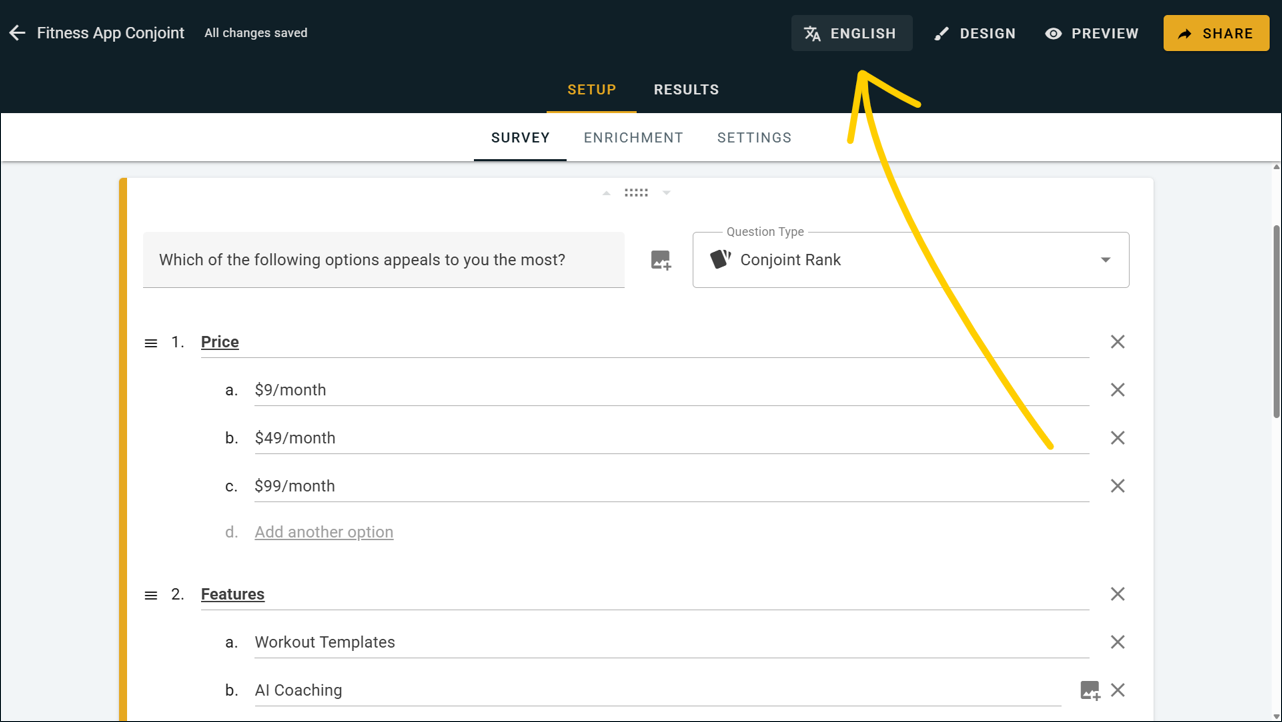
Best part of all? Multi-language surveys are available to all OpinionX users, including those on the free tier. There’s nothing you need to do to unlock this feature — simply hit the language button on the top navbar section of your survey dashboard:
— — —
Other February 2026 updates:
Moved the settings page into the Setup Tab on your survey dashboard.
Built a more robust SAML SSO process for customers on our Accelerate enterprise tier.
Fixed a bug that caused ‘None of the above’ data to disappear on saved simulator scenarios.