
SEGMENTATION ANALYSIS
Compare what matters most to your most important customer segments
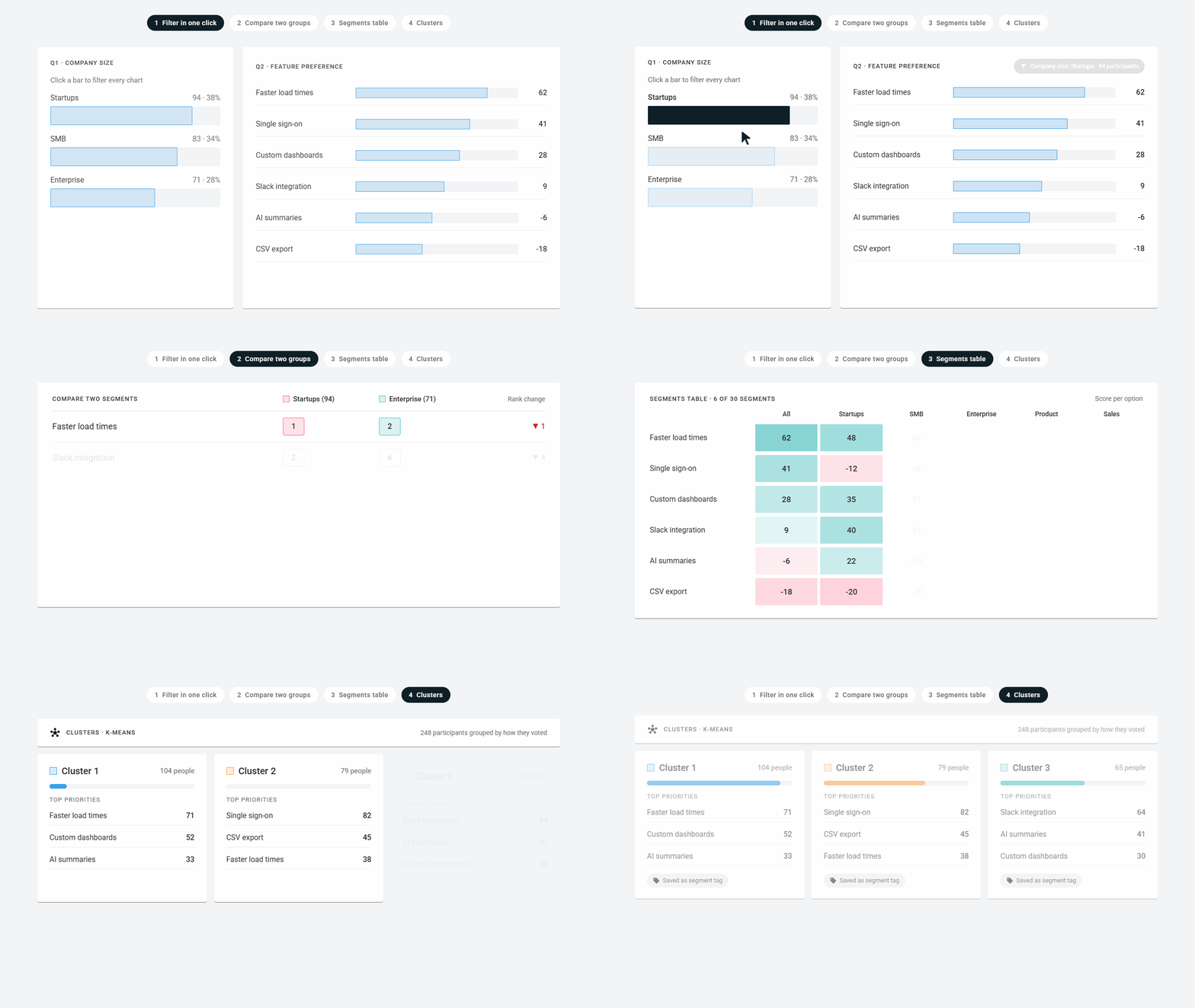
OpinionX powers advanced segmentation research in an easy-to-use survey platform. Filter results in one click, compare two segments side by side, cluster similar voters, and view up to 30 groups in a colour-coded table.
No credit card required
Trusted by scaling startups, research agencies, and large enterprises alike


What is segmentation analysis?
Segmentation analysis means comparing how groups of people think or act differently. In survey research, this involves filtering, comparing, and grouping people to understand who cares about what, instead of relying on blunt averages.
On OpinionX, segmentation isn't a separate method. Every question type, from conjoint and maxdiff to pricing studies, feed into automated segmentation tools that give you expert insights without any complex work required.
Use it when...
Different customers keep asking for different things and the aggregate result settles nothing. You need to know which group wants what before the roadmap or price moves.
Best for...
Product teams checking whether enterprise and self-serve users rank the same problems, and pricing teams testing whether willingness to pay differs by plan, region or company size.
Alternative methods...
Needs-Based Segmentation groups people by the problems they rank highest. Psychographic segmentation groups them by attitude. Both are approaches you run through the tools on this page.
How to segment your surveys on OpinionX
Activate a filter in one click
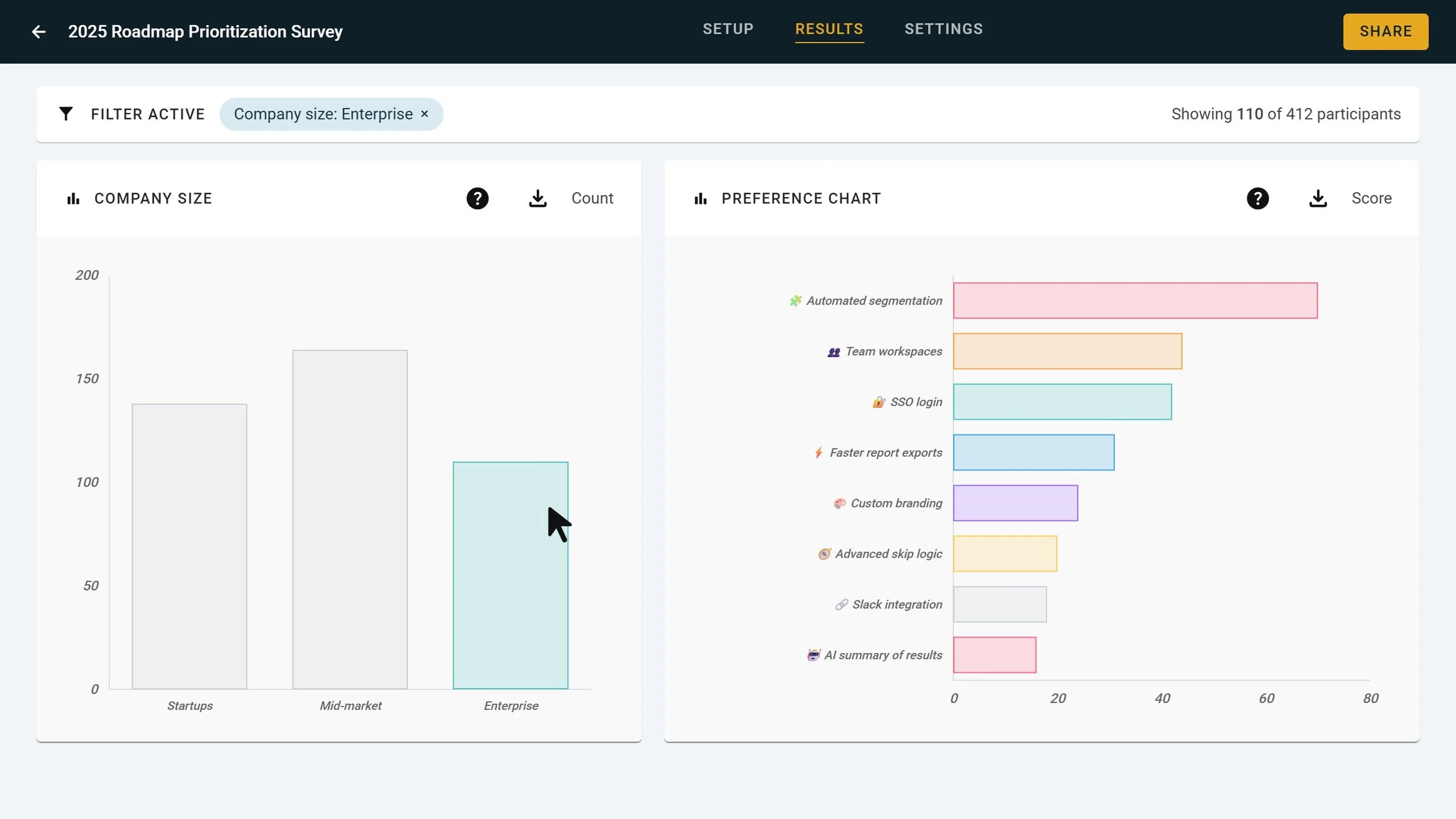
Want to focus on just one type of participant? Click any bar chart to automatically activate a filter that excludes everyone else from your charts and recalculates all results instantly.
Compare two groups side by side
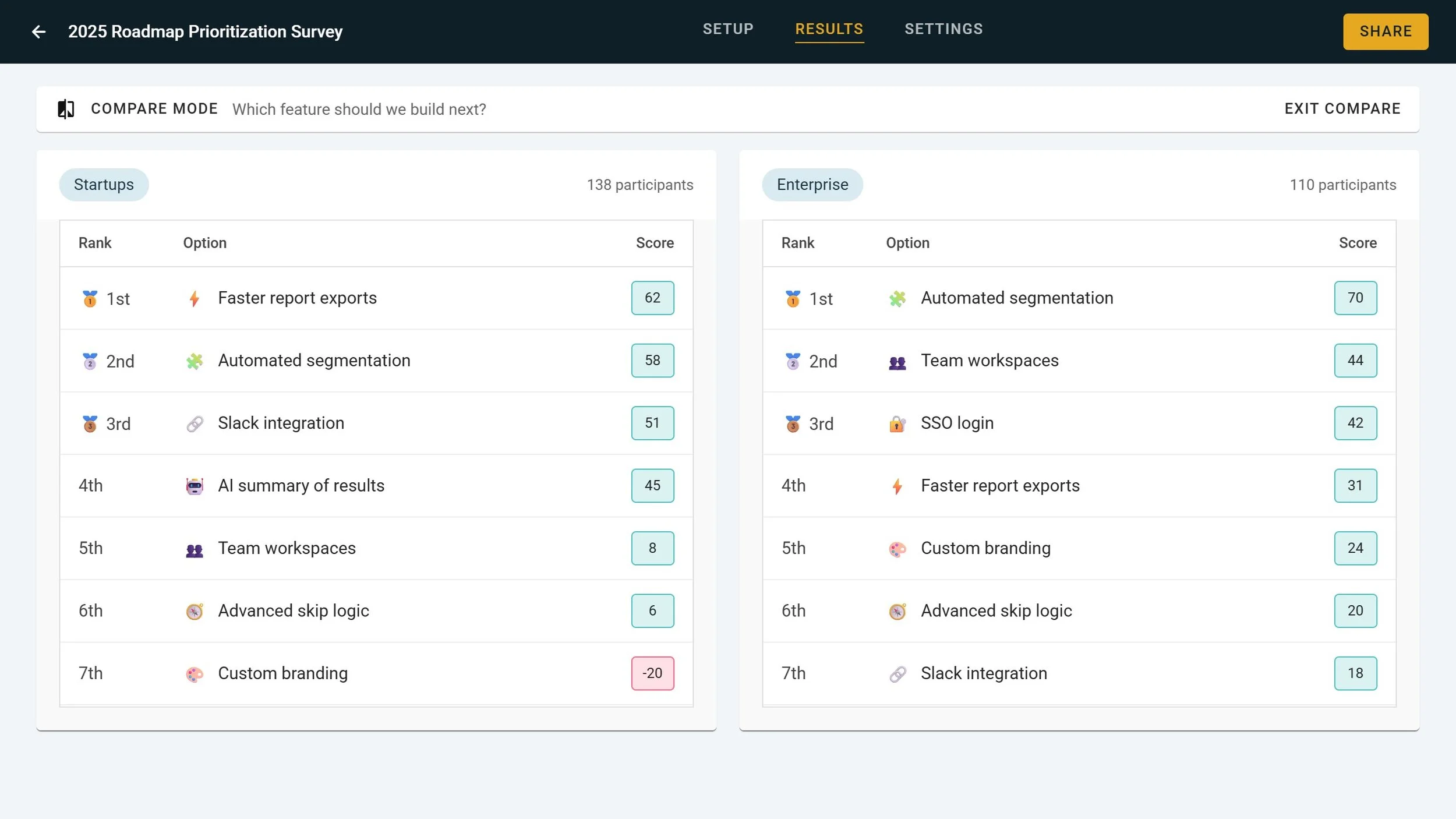
View the entire results page for two segments side by side to see how each voted in the survey, helping you to understand their separate preferences and priorities differ.
Spot differences in a colour-coded table
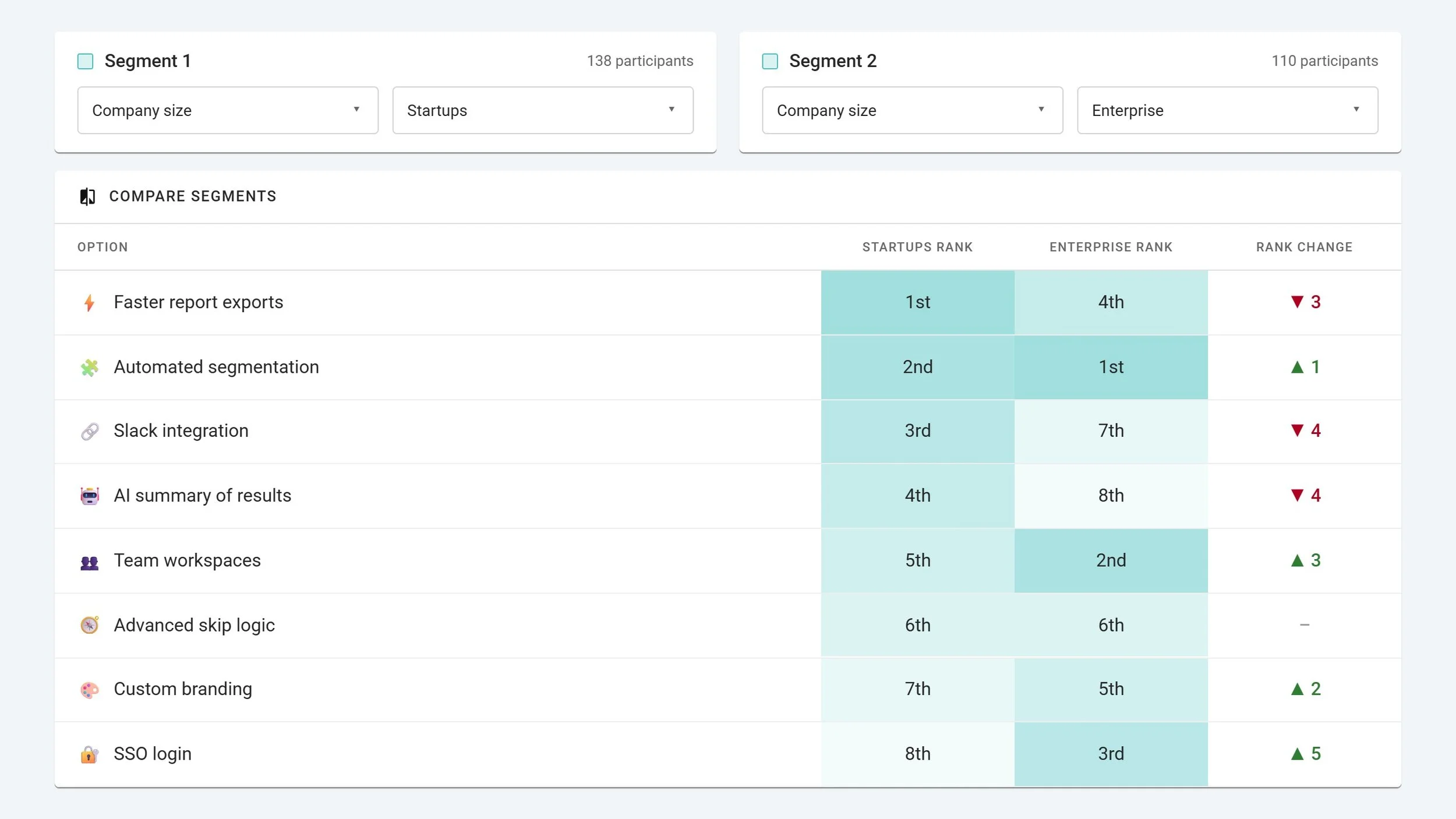
Pick a second segment and every result splits into two columns with the rank change per option, or open one option and see its rank in every segment you've defined.
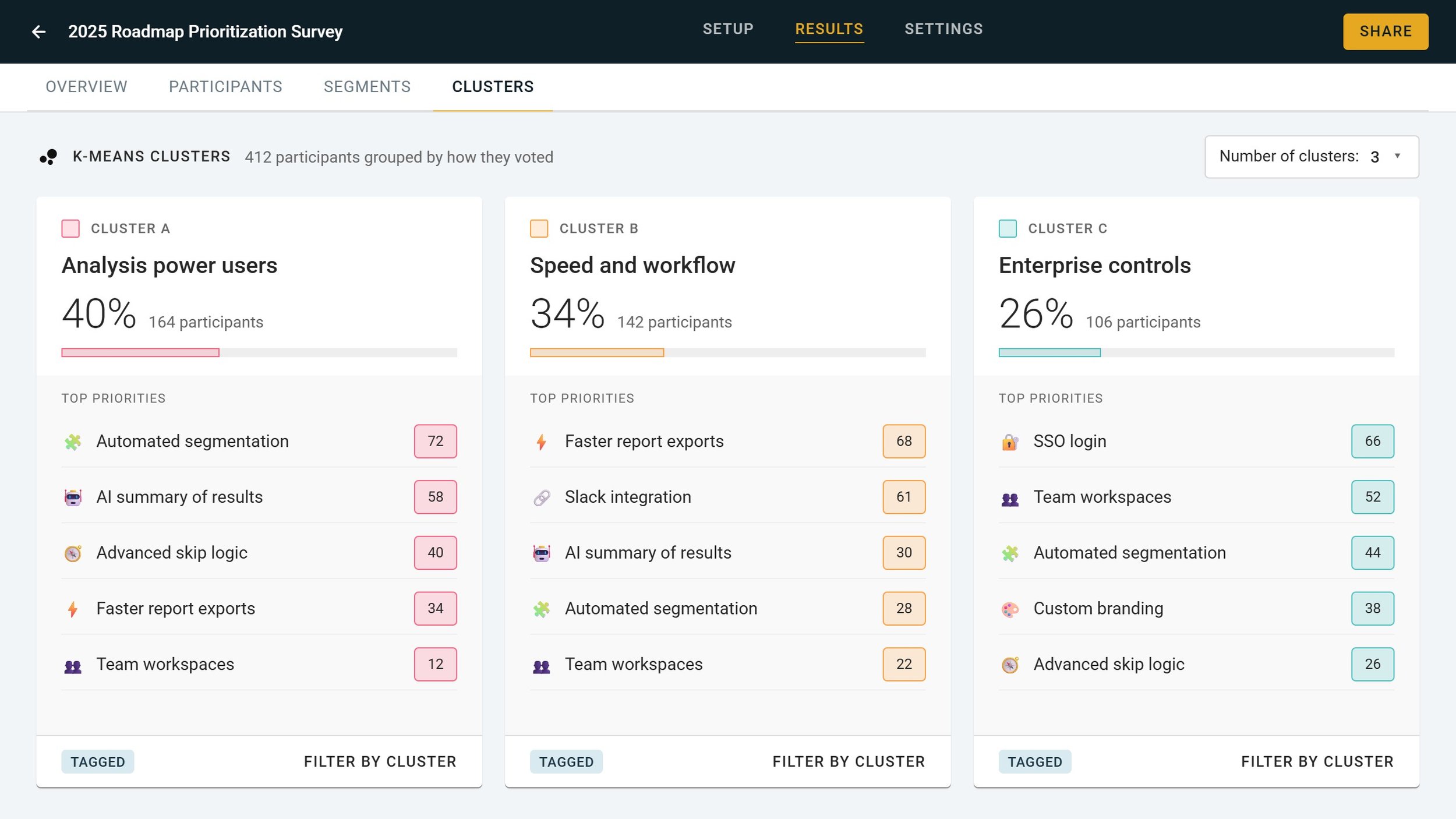
Group people into clusters who voted similarly
The Cluster Tab runs k-means analysis on participant data to identify groups of participants that voted similarly, giving you detailed overviews and tagged groups you can plug into other analysis features.
Ready to see your results by segment?
How OpinionX simplifies segmentation setup
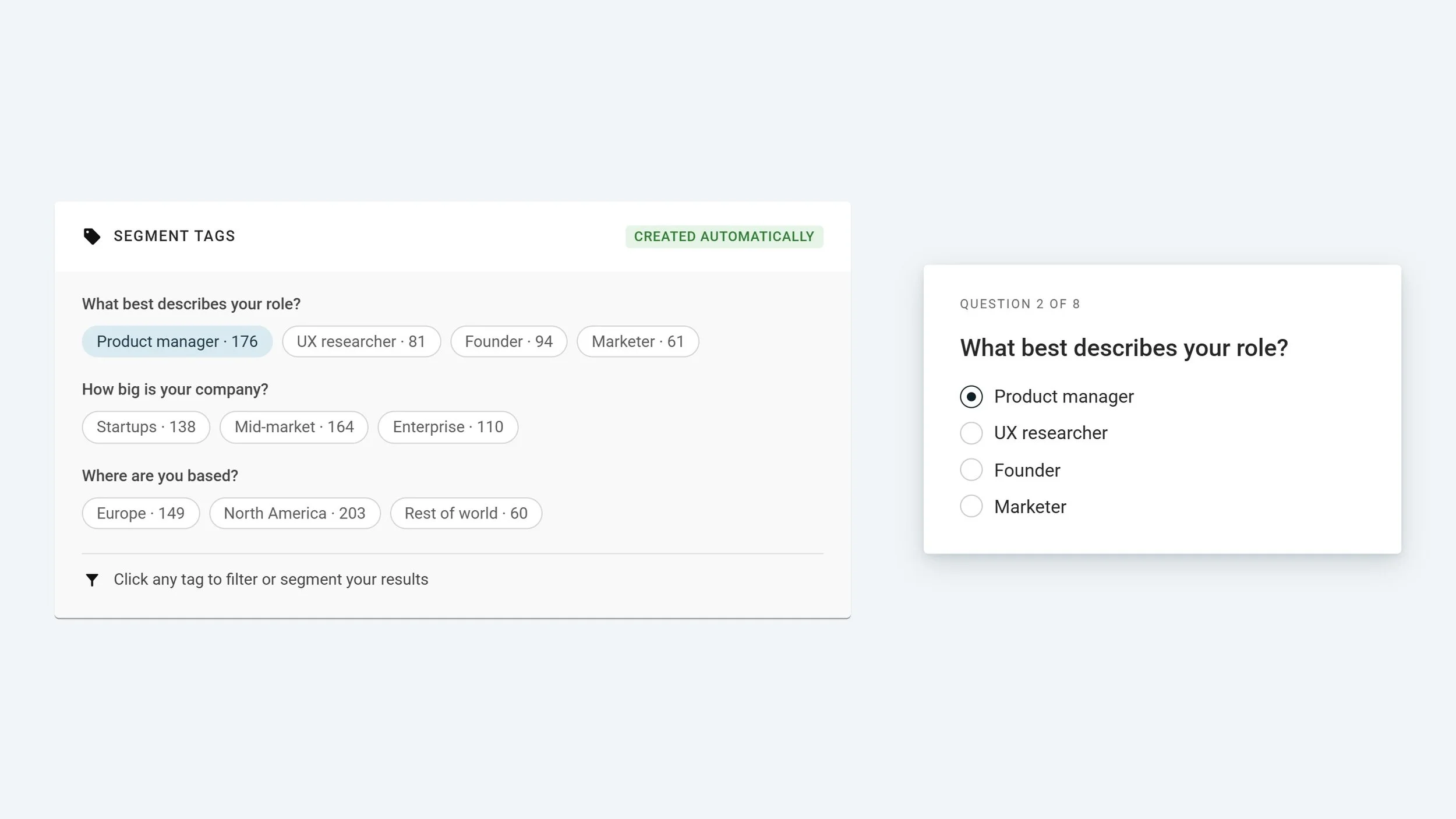
Survey answers turn into segment tags automatically
Whenever people answer questions in your survey, OpinionX treats that answer as a tag you can use to filter or segment results later. No manual configuration needed.
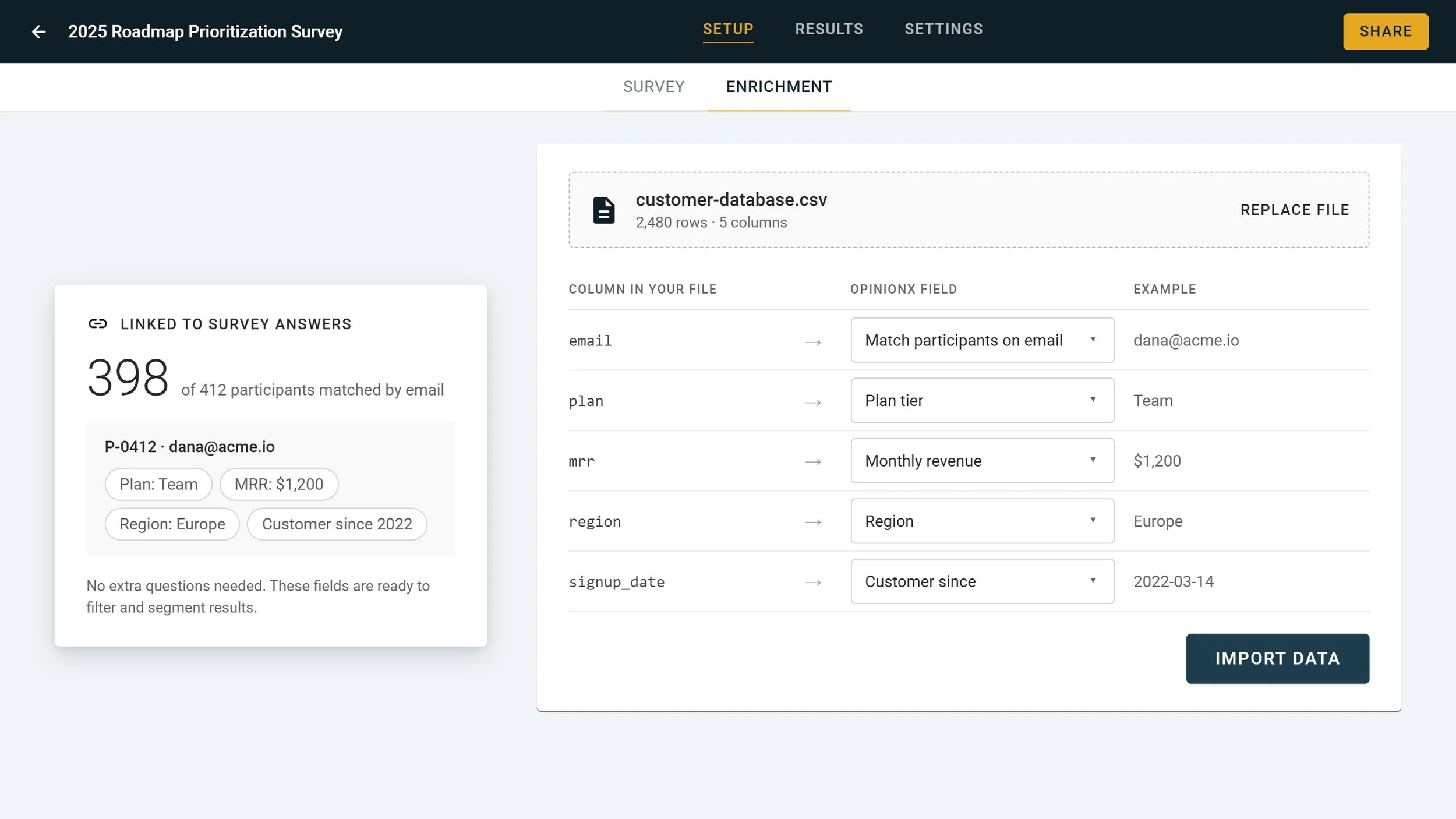
Import your existing participant data
Enrich your survey with your existing database. OpinionX links this data to participants’ survey answers, allowing you to minimise survey length while maximising analysis depth.
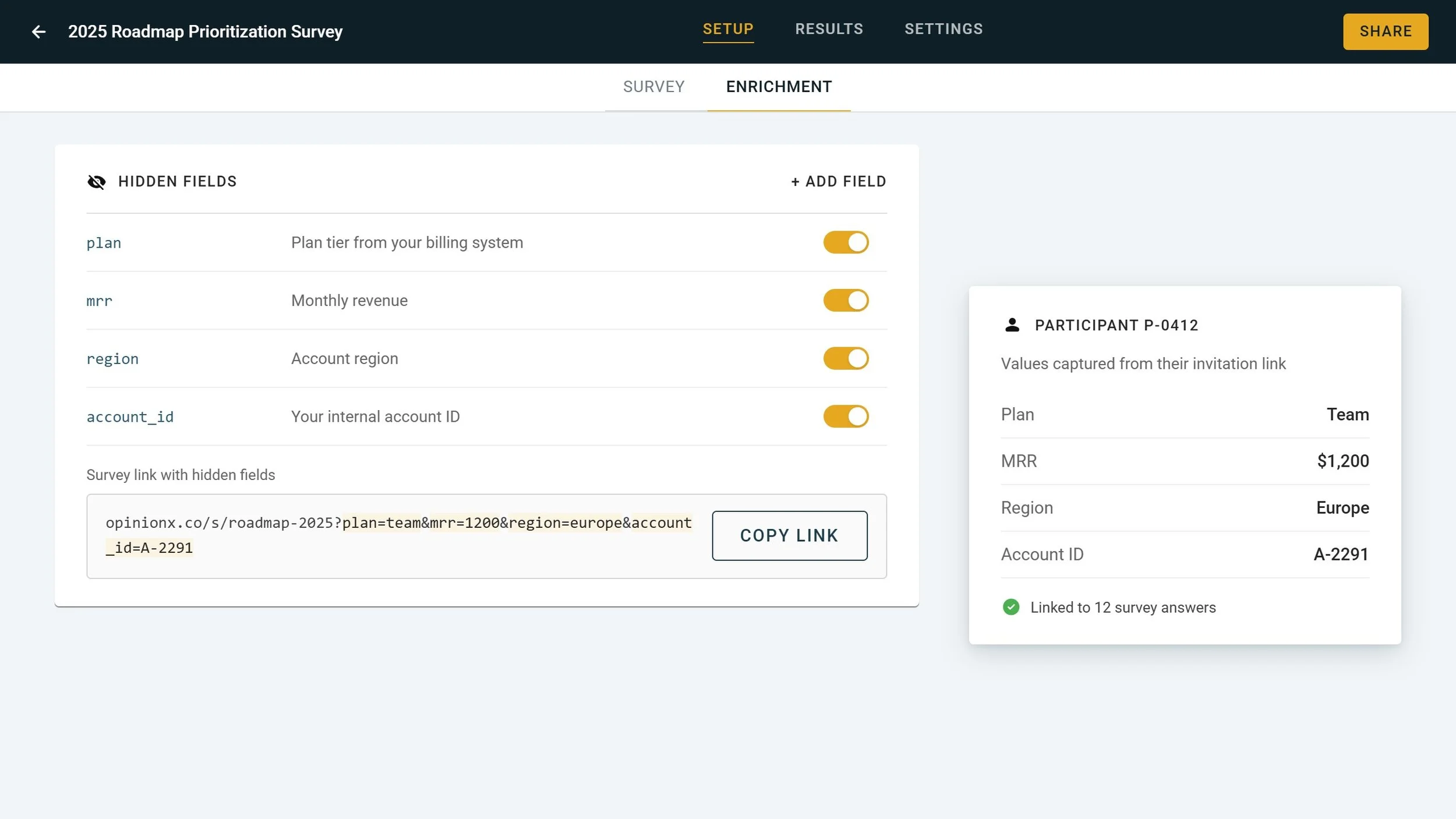
Pull data from an external source via URL parameters
Using dynamic Hidden Fields, you can embed enrichment data inside each participant’s survey invitation link, which OpinionX will process and associate against that participant’s survey answers.
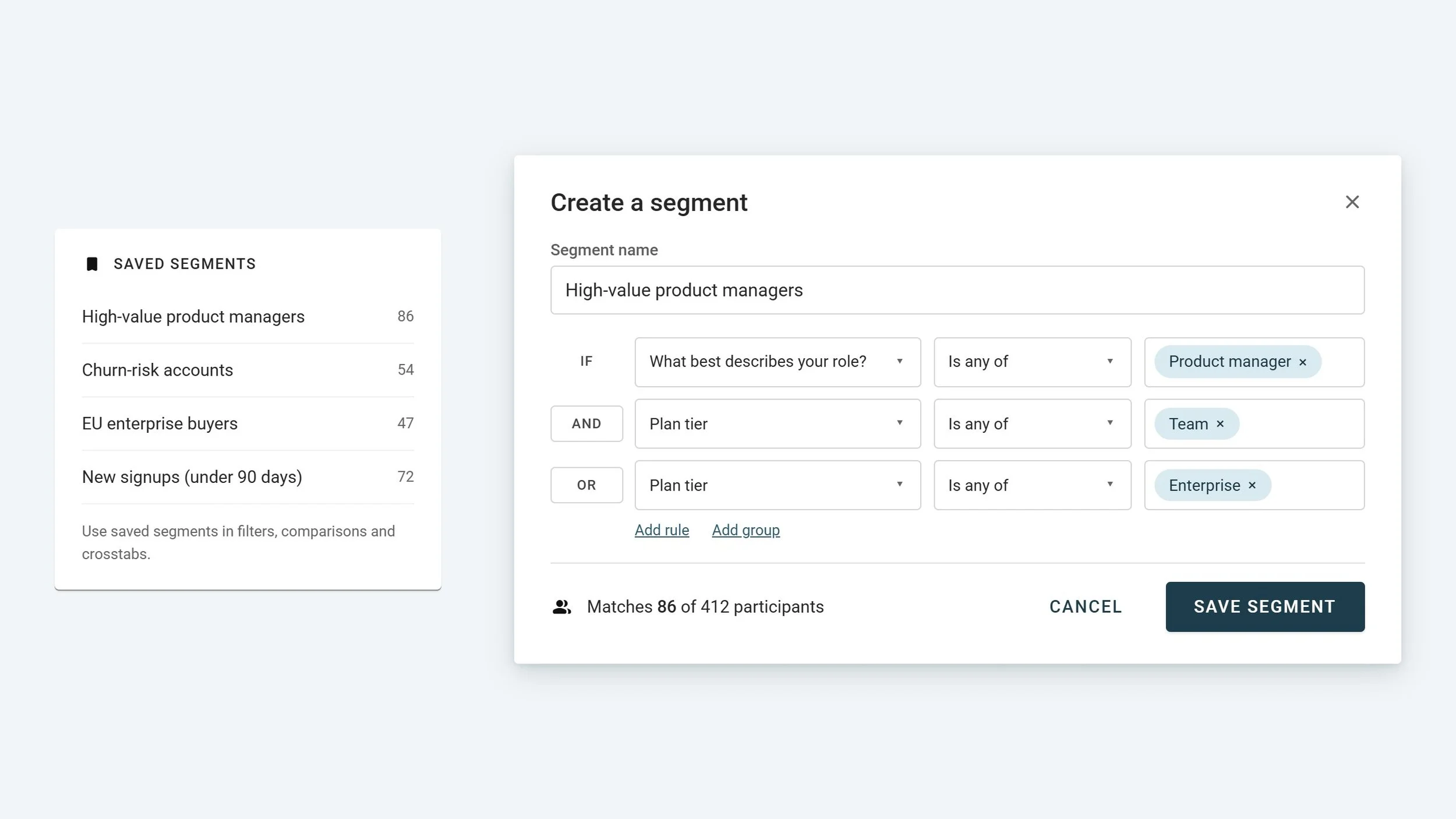
Configure advanced logic and save your custom segments
Use AND/OR rules to create advanced segments in OpinionX’s popup segmentation menu. Save segments with custom names and plug them into other segmentation analysis features later on.
See segmentation in action
Segmentation is available on every tier
✓ 25 participants per survey
✓ Unlimited surveys
✓ Unlimited researcher seats
✓ Full analysis & exports
✓ Unlimited participants per survey
✓ Unlimited researcher seats
✓ Advanced analysis & data enrichment
✓ Custom exports
✓ SAML SSO & MFA
✓ Private team folders
✓ White-labelling
✓ Procurement & prepaid experts
Learn more about customer segmentation
Segmentation FAQs
-
Three ways, and they combine. Ask a multiple-choice or number question and use the answer as the segment. Attach data you already hold, such as plan or role, through hidden fields or a CSV import. Or run the Cluster Tab, which groups participants by how similarly they voted.
-
The Segments Tab shows every segment at once: a crosstab of each group's scores for each option, heatmap-coloured. The Compare Tab shows two segments you choose, side by side across every question, with the rank change per option. One is for scanning, the other for a specific question.
-
Yes. Viewer links open the results page for anyone with the link, no account needed, so a product manager or sales lead can read the same segmented charts you're looking at. Save the segment first and it appears in the Segments and Compare tabs for them too.
Stop letting customers pull you in different directions
Turn noisy feedback into a report that shows your most important customer's top pains, preferences and priorities.