
You can now create folders to organize your surveys, control who has access to each folder, and manage dedicated team spaces within your OpinionX workspace.
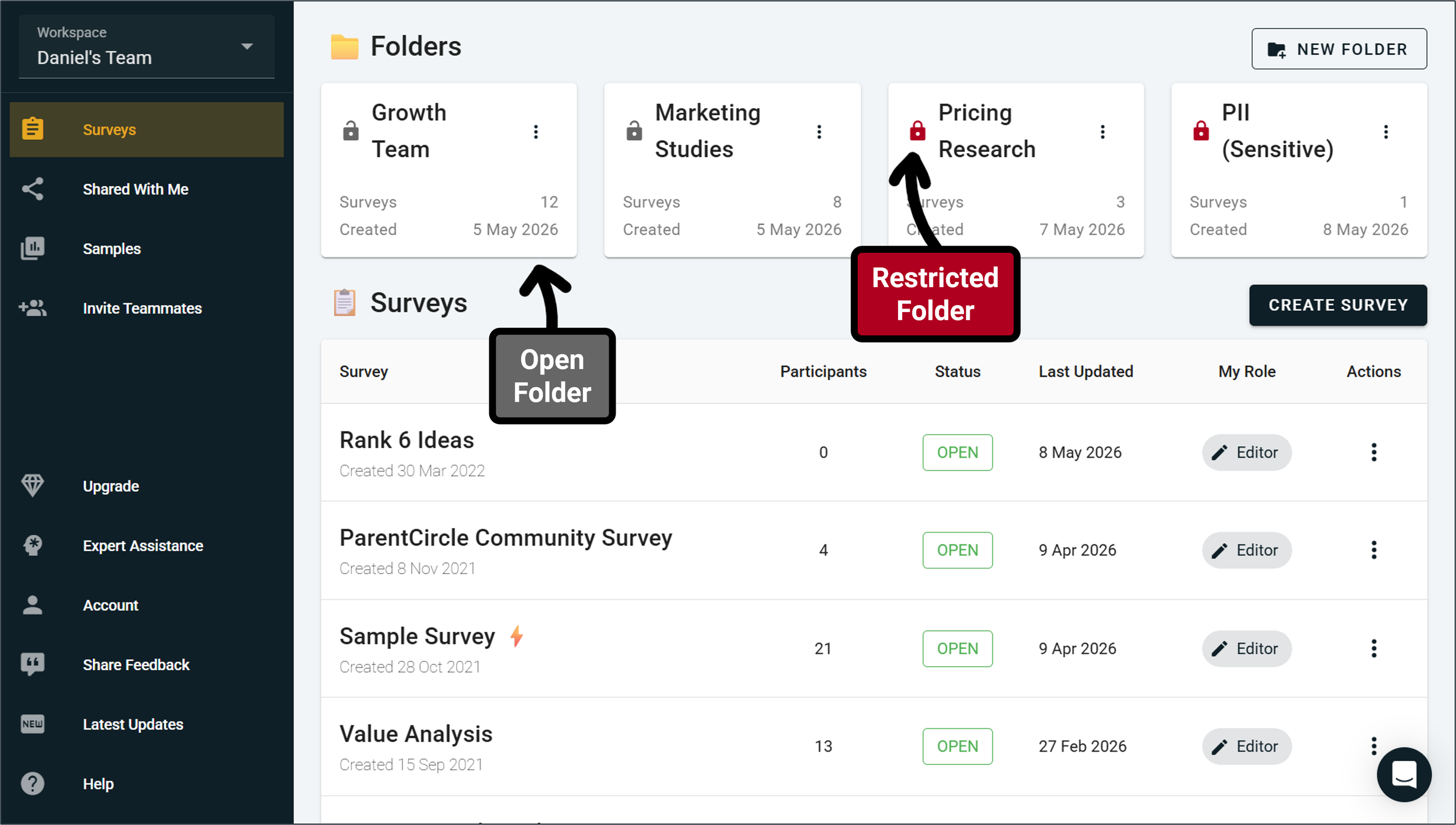
Before this update, your surveys lived in a long list on your workspace dashboard, arranged by creation date from newest to oldest.
Now, you can create folders for different teams, themes, or topics and arrange your surveys accordingly! You can also create folders within folders within folders, giving you full flexibility to create the organizational structure you need to match your team’s needs.
Users on the Free Tier, Ask Tier, and Analyze Tier can have up to 3 folders in their workspace, while Accelerate Tier workspaces have a higher folder limit along with access controls for each folder to restrict viewer access for surveys to specific teams or colleagues. Restricted folder are only visible to teammates you have granted access to — other than workspace admins, everyone else won’t even know it exists.
Other improvements included in this update:
The ‘Shared With Me’ tab, which previously gave you access to all surveys you’ve been added to as a collaborator but belong to workspaces you are not a member of, has been turned into a folder on your workspace homepage so that it’s easier to find.
Users who belong to multiple workspaces can now set a Default Workspace that will load automatically whenever they log into their OpinionX account.
Single-use unique links will no longer expire when associated with a partial complete participant, only on a full complete submission, preventing unwanted restrictions to respondents.
We’ve cleaned up the analysis buttons interface on Results Overview charts to make the design more visually concise and uncluttered.
The ‘export’ analysis button on individual results blocks will now export as images when you are viewing the Preference Chart display type.
We removed the checkboxes on Multiple Choice blocks when they are set to ‘Pick One’ only.